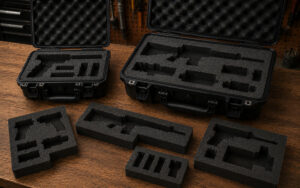
Standard laptop case sizes are usually based on common laptop screen categories such as 13-inch, 15-inch, and 17-inch models.
However, the correct protective case size should always be chosen using the laptop’s actual physical dimensions rather than screen size alone.
Laptop thickness, chassis design, cooling systems, and attached accessories can all affect the amount of space required inside the case.
What are the most common laptop case sizes?
Most laptop protective cases fall into three main size categories.
13-inch laptop cases
Cases for 13-inch laptops are designed for compact and lightweight devices.
Typical laptop dimensions in this category are approximately:
- 11.5″ to 12.5″ long
- 8″ to 9″ wide
These cases are commonly used for:
- Ultrabooks
- Compact business laptops
- Small portable workstations
15-inch laptop cases
15-inch laptops are among the most common laptop sizes and usually require medium-sized protective cases.
Typical laptop dimensions are approximately:
- 13.5″ to 14.5″ long
- 9.5″ to 10.5″ wide
This category includes:
- General business laptops
- Creative workstations
- Everyday professional laptops
17-inch laptop cases
17-inch laptops require larger protective cases due to their increased size and weight.
Typical dimensions are approximately:
- 15″ to 16.5″ long
- 10.5″ to 11.5″ wide
These larger cases are commonly used for:
- Gaming laptops
- Mobile workstations
- High-performance laptops
Why screen size alone is not enough for case sizing
Laptop screen size refers only to the diagonal measurement of the display.
Two laptops with the same screen size may have very different external dimensions because of:
- Screen bezels
- Cooling systems
- Battery size
- Port layouts
- Chassis thickness
This is especially noticeable with gaming laptops and mobile workstations, which are often much thicker and heavier than standard laptops.
How do you measure a laptop correctly for a protective case?
To choose the correct protective hard case, measure the laptop with the lid fully closed.
You should measure:
- Length: Front to back
- Width: Side to side
- Height: Base to highest point
Include any protruding parts such as:
- Rubber feet
- Cooling vents
- Extended batteries
- Port covers
- Protective shells or sleeves
It is also important to leave extra room for foam padding and shock protection.
How much clearance should be left around a laptop?
Protective hard cases require additional space around the laptop for foam inserts or padded interiors.
Typical recommendations include:
- 12 mm to 25 mm clearance for standard laptops
- 25 mm or more for sensitive or high-value devices
This extra space helps absorb impacts and prevents the laptop from contacting the case shell directly.
What types of protective laptop cases are available?
Protective laptop cases are available in both soft and hard-shell designs.
Soft laptop cases
Soft cases usually provide lightweight protection against:
- Scratches
- Minor bumps
- Dust
They are commonly made from:
- Neoprene
- Fabric
- Padded textile materials
Soft cases are suitable for office and everyday commuting environments but offer limited protection against impact or water exposure.
Hard protective laptop cases
Hard protective cases offer significantly greater protection during transport and storage.
These cases commonly include:
- Impact-resistant shells
- Waterproof gasket seals
- Custom foam inserts
- Pressure release valves
- Heavy-duty latches
Hard-shell cases are widely used for travel, industrial environments, field work, and professional equipment transport.
Why do gaming laptops often require larger cases?
Gaming laptops usually require larger cases because they are physically larger than standard laptops with the same screen size.
This is due to:
- Larger cooling systems
- Thicker chassis designs
- Extra ventilation
- High-performance hardware
- Additional ports and connectors
A 15-inch gaming laptop may require a case normally associated with a 17-inch laptop because of its overall dimensions.
Should accessories be stored in the same case?
Many protective laptop cases include additional room for accessories such as:
- Chargers
- Cables
- External drives
- Mice
- Adapters
- Batteries
When storing accessories in the same case, they should have separate padded compartments to prevent contact with the laptop during transport.
What features should a high-quality protective laptop case include?
Professional protective laptop cases commonly include:
- Impact-resistant construction
- IP67-rated waterproof sealing
- Pressure equalisation valves
- Custom foam interiors
- Secure latch systems
- Ergonomic carry handles
These features help protect laptops from:
- Impact damage
- Moisture
- Dust
- Vibration
- Rough handling
How do custom foam inserts improve laptop protection?
Custom foam inserts help keep laptops secure inside protective hard cases by reducing movement and distributing pressure evenly.
Benefits include:
- Improved shock absorption
- Reduced vibration during transport
- Better organisation
- Protection for accessories
- More professional presentation
Professional foam inserts are often CNC-cut for accurate fitment and long-term durability.
Why proper laptop case sizing matters
Choosing the correct protective laptop case size helps ensure the device remains secure and protected during storage and transport.
A properly sized case should:
- Fit the laptop securely
- Allow room for protective padding
- Prevent internal movement
- Protect against impacts and moisture
- Provide practical portability
Measuring the laptop carefully and selecting the correct internal case dimensions helps avoid poor fitment and improves overall equipment protection.